4.1 Search bar and filter
Use the search and filter options to quickly find specific chats or narrow down the chat list.
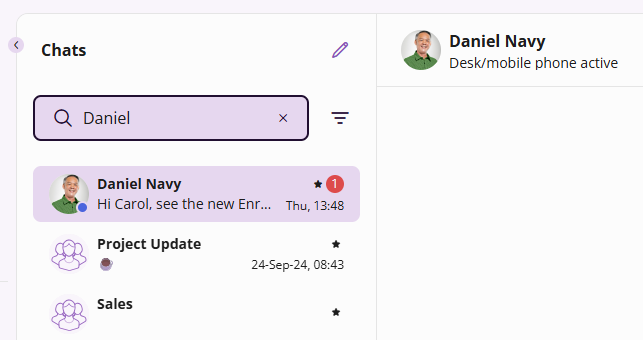
To search for a chat, enter a contact name or number in the search field at the top of the chat list.
The chat list is updated based on the entered search term. If you are part of a group chat with the contact you are searching for, those group chats will also appear in the results.
To filter chats click on  . You can filter by the following categories:
 FavoritePersonalGroup
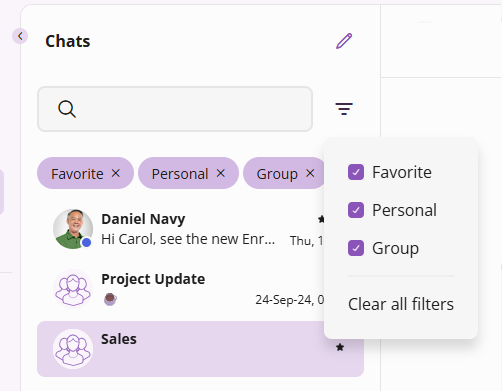
Active filters are displayed as filter chips below the search field. To remove a single filter, select X next to the corresponding filter chip.
Favorite chats, indicated by  are displayed at the top. All other chats are listed below by recency.