3.1 User Interface
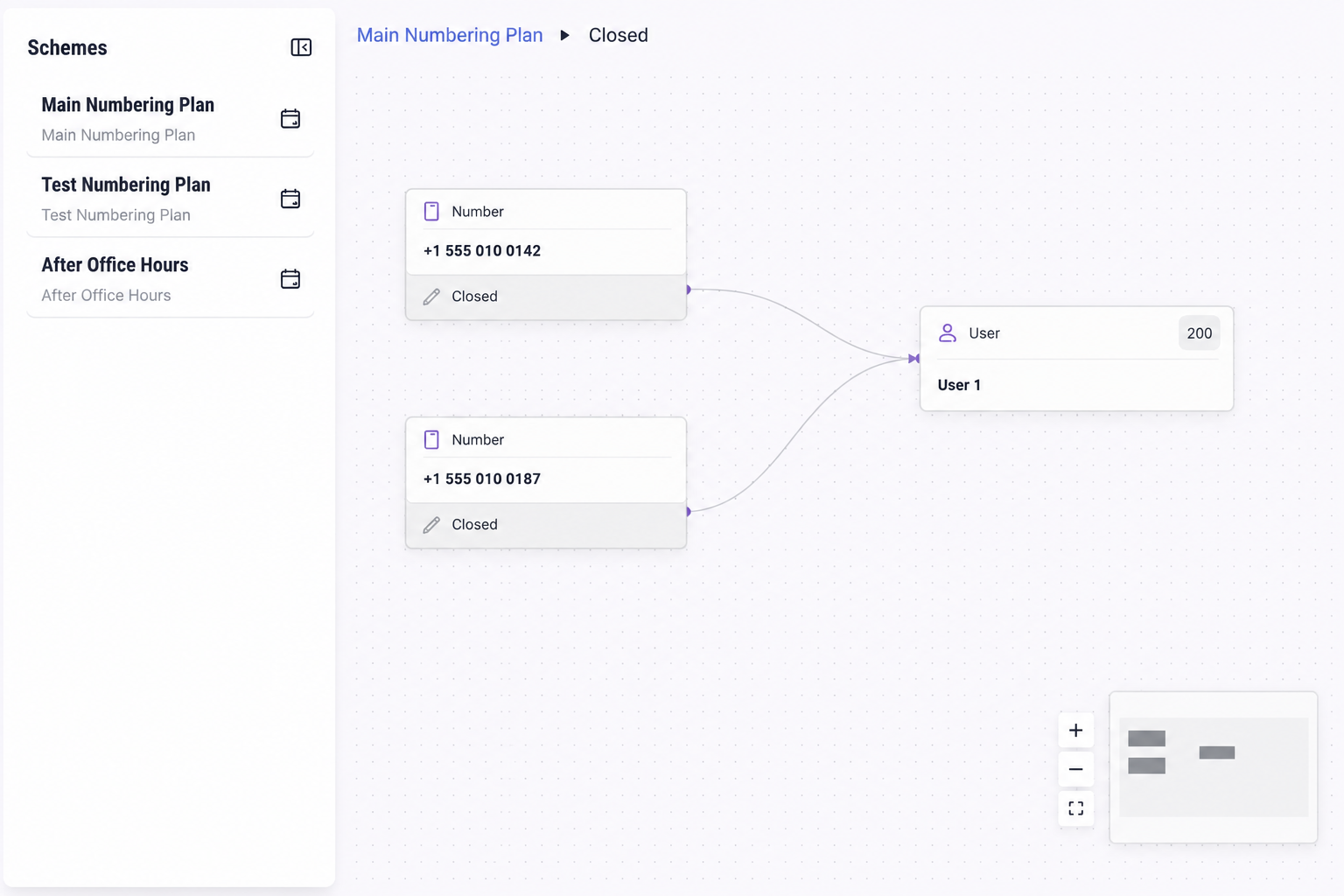
Select a Scheme to view the Numbering Plans associated with it. Select a Numbering Plan to open its graphical call flow.
Click on  , to hide the schemes panel and expand he canvas to get a full view of the graphical routing. Click on
 , to show the sidebar with the available sections.
, to hide the schemes panel and expand he canvas to get a full view of the graphical routing. Click on , to show the sidebar with the available sections.Click on  , to get an Activation Overview on the selected numbering plan’s Timetable and Holidays tabs. Click on
 to get back to the graphical overview.
, to get an Activation Overview on the selected numbering plan’s Timetable and Holidays tabs. Click on to get back to the graphical overview.