12.2.1.6 Activating the DECT 800 system
To activate a new DECT system and put all assigned DECT end devices into operation, you must configure a DECT 800 base station.
You only need to configure the base station that you want to use as the master. The other base stations assigned to the DECT system are automatically recognized.
A factory reset must be carried out on the base station that you want to configure as the master, see 12.2.3 Performing a factory reset on the DECT 800.
The master base station is assigned the AirSync role.
Therefore, place the base station centrally and within range of all other base stations in the DECT system.
Therefore, place the base station centrally and within range of all other base stations in the DECT system.
Requirements:
 All DECT base stations are connected to your LAN and switched on. The master base station has firmware 11.4.4 or higher with a factory reset, see 12.2.1.1 Prepare DECT 800 hardware.DECT system objects (including base stations and handsets) have been created, see 12.2.1.3 Creating a DECT system Have the following data ready:
- MAC address of the base station,
- Activation key,
- Provisioning-URL.
You can find this data in Swyx Control Center at Devices | DECT | DECT Base Stations | Edit DECT Base Station (). You have to activate the Show configuration info check box.
Click  to copy the corresponding data to the clipboard.
to copy the corresponding data to the clipboard. To open the administration web interface within the local network, you can also use the following line in the browser instead of the IP address of the base station: https://<Base station model>-<last three bytes of the MAC address>.
e.g. http://ipbs3-28-07-bb
The corresponding data can be found on the white label on the underside of the base station.
e.g. http://ipbs3-28-07-bb
The corresponding data can be found on the white label on the underside of the base station.
If you cannot open the configuration wizard, carry out a factory reset, see 12.2.3 Performing a factory reset on the DECT 800
To configure the master base station
 The login dialog appears.The Ascom configuration wizard appears.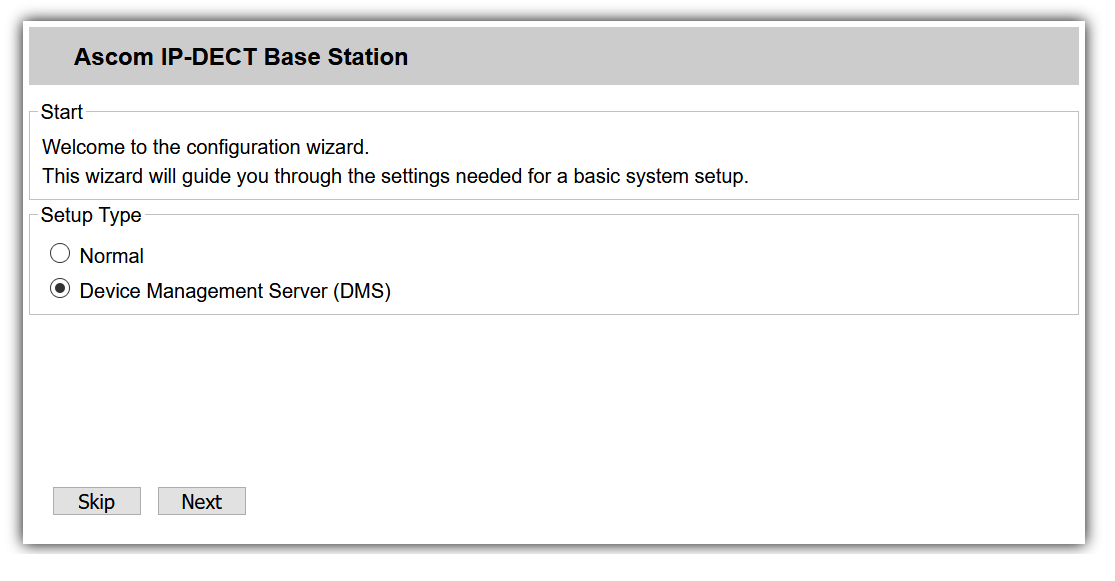
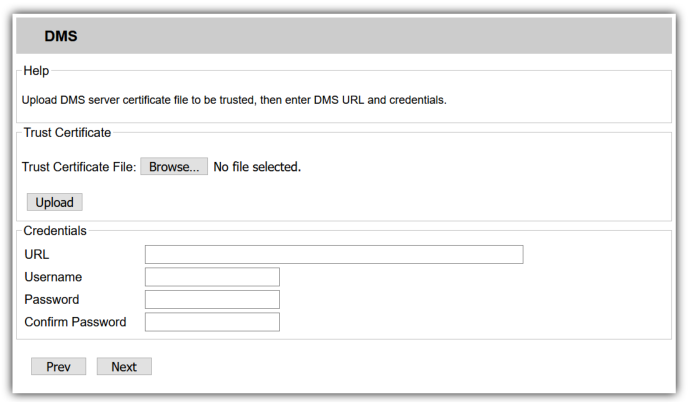
e.g. a1:c2:e3:f4:11:12
The base station is restarted The LED on the base station first flashes red, then blue. At the end of successful activation (can take up to two minutes), the LED lights up blue continuously.