2.4 UC Tenant switch (SwyxON)
As a SwyxON platform or partner administrator, you have access to the UC Tenants assigned to you, via the Swyx Control Centre.
Pay attention to the name of the UC Tenant (top left) for each configuration to ensure that the correct UC Tenant is selected.
Switching to a UC Tenant V14.10 or higher takes place without a login dialog. Authentication is carried out automatically.
The authentication information is stored in a session cookie. The session cookie is deleted when you log out of the Swyx Control Centre.
The authentication information is stored in a session cookie. The session cookie is deleted when you log out of the Swyx Control Centre.
It is not possible to access two or more UC Tenants at the same time.
How to switch to another UC Tenant
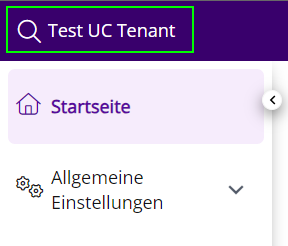
 The search field appears.
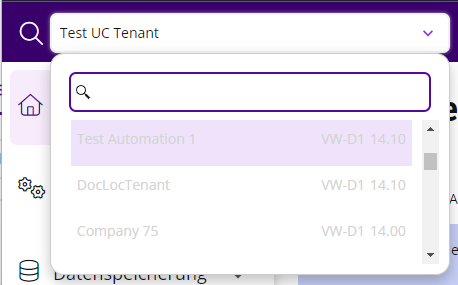 You are logged on to the UC Tenant.