4.21.2 Register Entra ID for federated services in the Azure Portal
The Swyx application for integrated services must be registered in the Azure Portal.
When accessing Microsoft Entra ID, the Swyx application must authenticate itself.
When you set up the federated services for secure access, you can
 create a client secret in the Azure Portal and enter it in the Swyx Control Center,
or
generate a certificate in the Swyx Control Center and upload it to the Azure Portal.Client Secret vs. Certificate
The expiration date of the secret client key in the Azure Portal is time-consuming to check. The maximum expiration date is limited.
You can set the expiration date of the certificate far in the future and it is directly visible in the Swyx Control Center. It is therefore recommended to use the certificate.
You can also change the authentication method at a later date, see 4.21.5 Change login data for Entra ID.
You can also automatically register the Swyx application for federated services using the PowerShell script, see 4.22 Register Swyx applications in Azure using PowerShell scripts.
However, this type of registration does not support certificates.
However, this type of registration does not support certificates.
To register the Swyx application in Entra ID manually
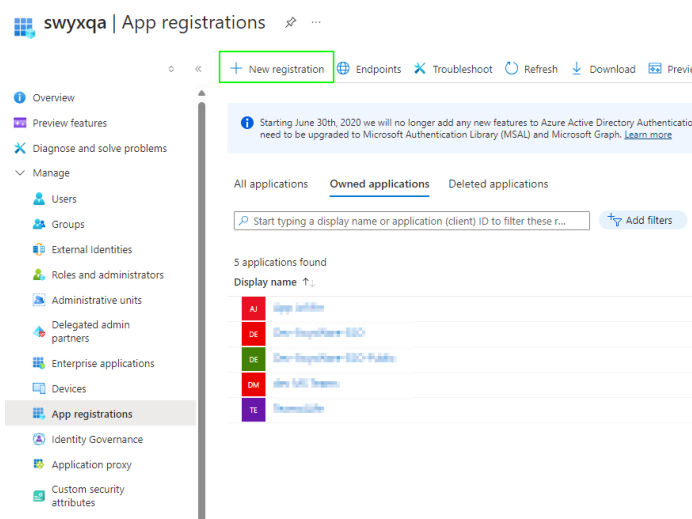
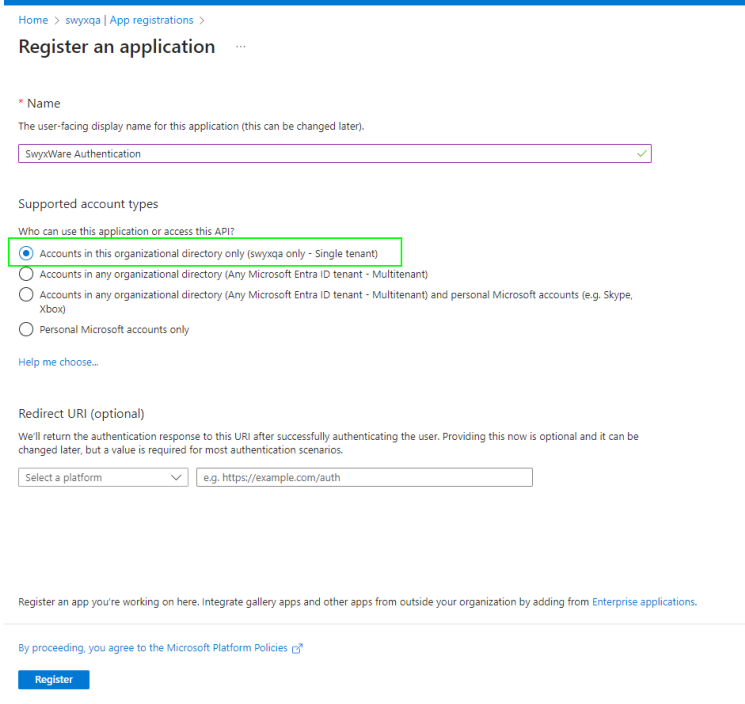
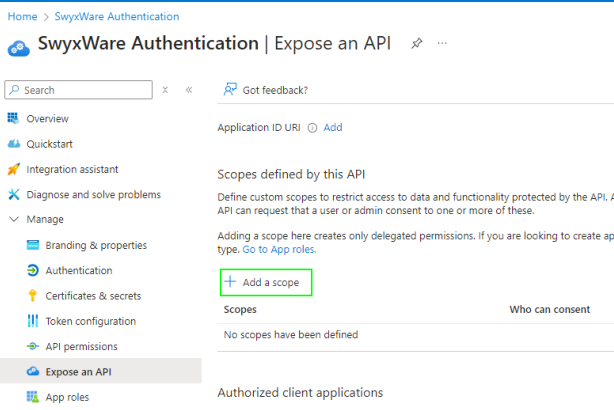
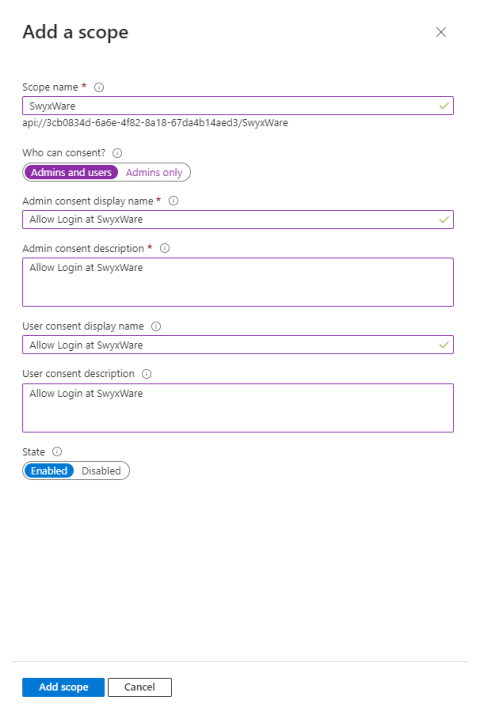
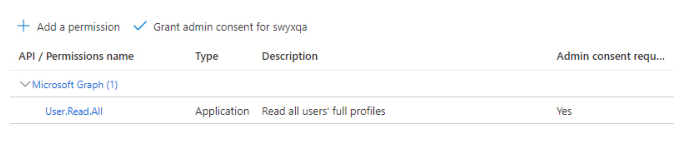
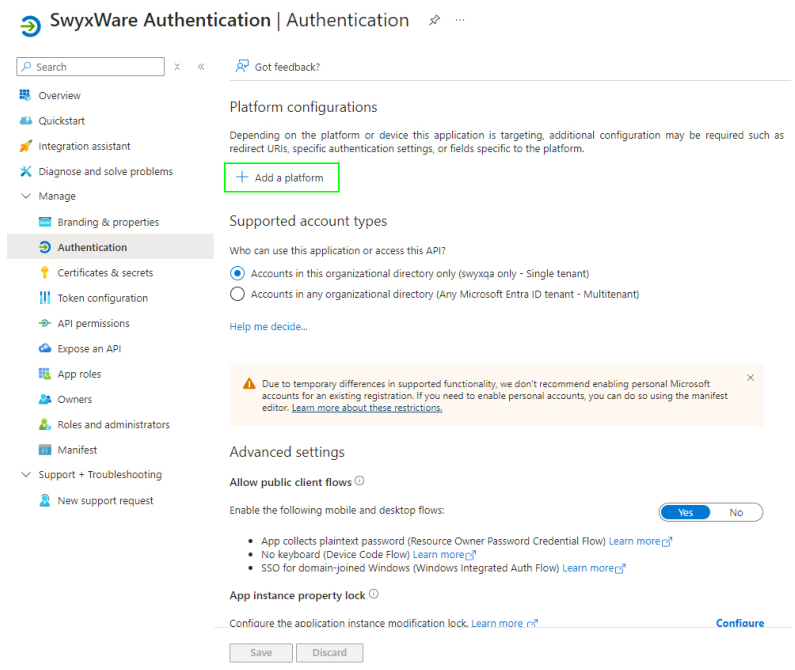
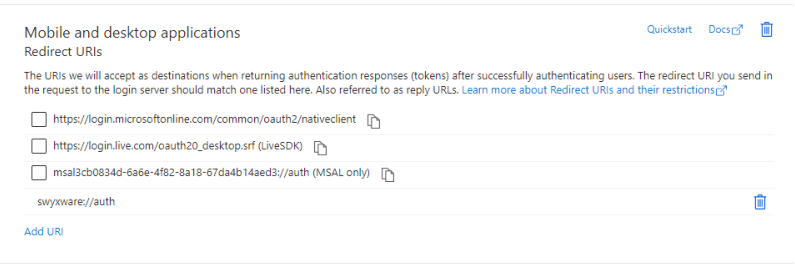
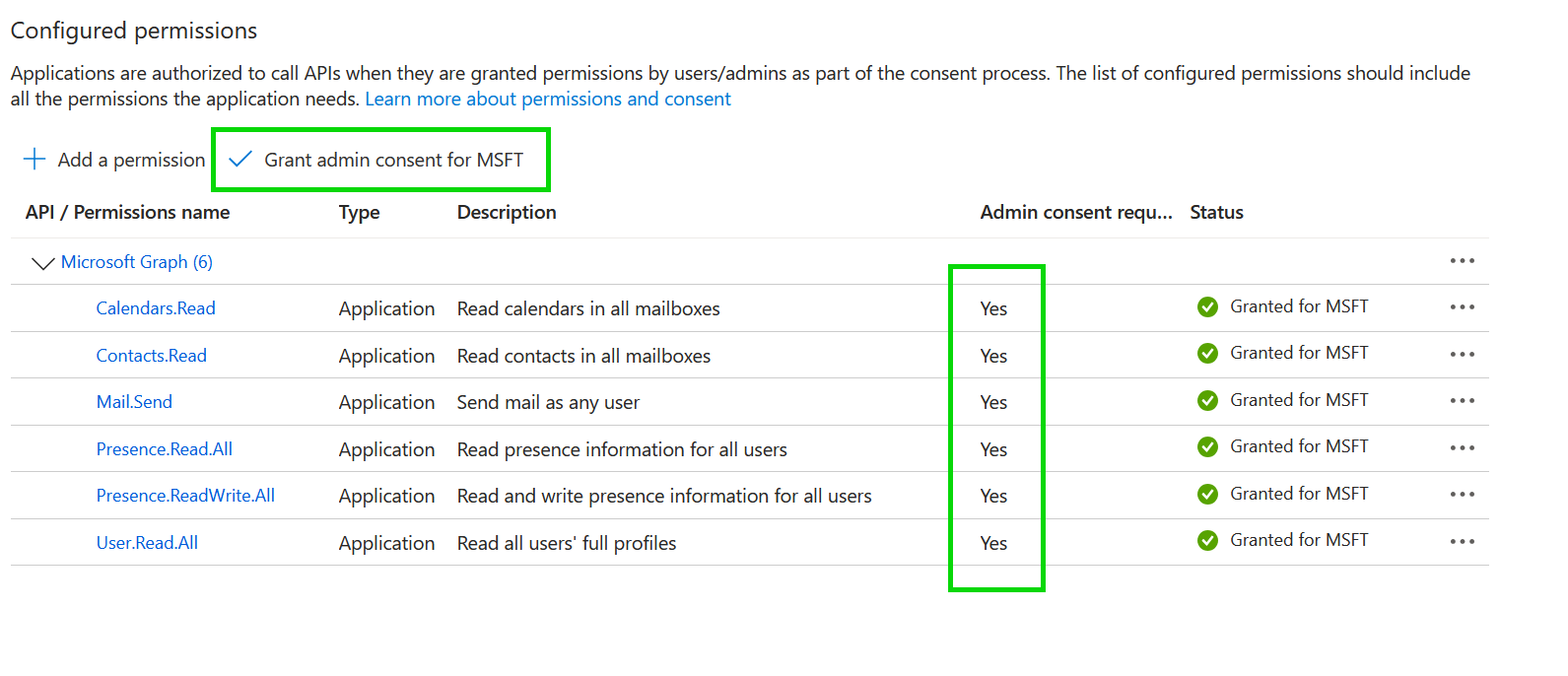
 User.Read.All (for general functionality)Contacts.Read (for contact synchronization)People.Read.All (for contact synchronization)Calenders.Read (for calendar synchronization)Presence.Read.All (for teams presence synchronization)Send (for e-mail service via Microsoft 365 (Exchange Online))Presence.ReadWrite.All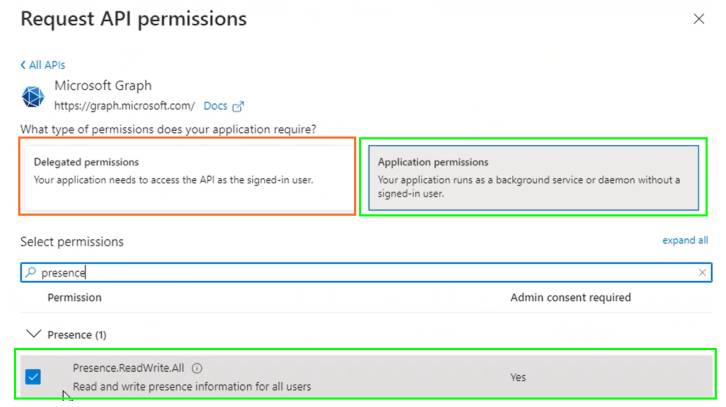
It is required that Administrator Consent is granted for each Application API permission, see "'Administrator Consent' Button" at https://docs.microsoft.com/en-us/azure/active-directory/develop/quickstart-configure-app-access-web-apis#more-on-api-permissions-and-admin-consent
 Each required API permission is assigned to your domain:
 The new secret client key appears in the list: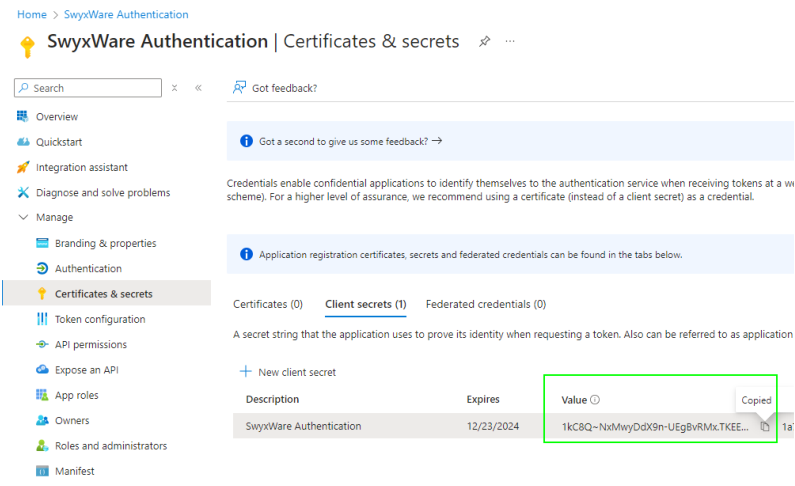
The value of the secret client key is subsequently hidden by "***...". Save the value of the key (Value column) in a protected file immediately after creating it and then enter it in Swyx Control Center (in the Client Secret field).