2.4.4 Exception
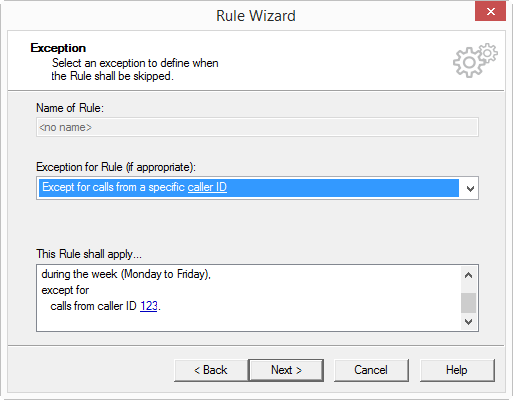
You can define an exception in the "Rule Wizard-Exception" window ().
All possible exceptions are listed under "Exception for rule (if appropriate)".
Exception with Parameters
If an exception requires additional information (for example, a telephone number, time, or day of the week), then the information required is underlined in the condition. You will see the exact value, which is shown underlined, under "This rule will be used…".
When a new exception is selected, a window, which requests the value, will automatically appear. To change an entry in an exception which has already been selected, click on the underlined value in the rule description.
You can select from the following exceptions:
 Except on specific days of the week
You can activate the day(s) of the week you want in the "Add Weekday(s)" dialog.
Except for calls from numberYou can take the caller ID from the address book or enter it directly.
Except for calls to a caller IDYou can select the desired number.
Except on weekendsThis is how you select an exception to the rule