I.2.1.2 CTI SwyxIt! on terminal server
CTI SwyxIt! or on a terminal server controls a local SwyxIt! Classic or SwyxPhone
CTI SwyxIt! runs on a terminal server and controls a SwyxPhone or a SwyxIt! Classic on the user's computer. The local SwyxIt! Classic is used in particular for voice output and recording via a handset or headset.
To activate CTI mode on the terminal server to control the local SwyxIt! Classic or SwyxPhone
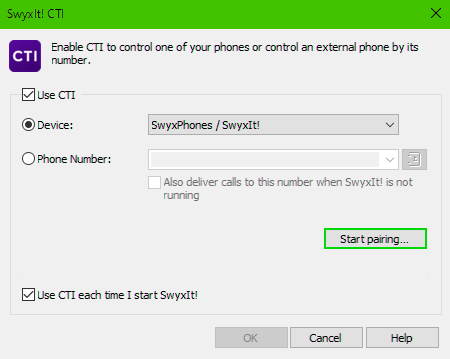
When installed on a terminal server, CTI SwyxIt! shows a special behavior:
 Recording wizard does not startNo warning if there are too many colors
When installing the TAPI service provider, create one TAPI line for each SwyxIt! Classic user that will use CTI SwyxIt! on the terminal server.
Automatic activation of CTI SwyxIt! in terminal server environments for users
In order to activate the CTI mode automatically for users, a registry key has to be set at the client computer.
After the key has been set, the option "Enable CTI" in the CTI dialogue is automatically activated for the user. Furthermore the option is greyed out, so the user cannot disable this mode.