9.2 Function profile
The role profile determines which Swyx features a user can access. The profile "Standard" is pre-configured and includes all licensed options. It will be used for all new created users.
If the directory "Feature profiles" cannot be seen, activate the entry "Advanced" in the menu bar under "View".
When creating a user, the administrator selects a feature profile for this user from the drop-down list. The feature profile contains the functional range available to the user. A different predefined feature profile can subsequently be selected at any time by the administrator. The change takes place as soon as the administrator confirms the user's properties with "OK".
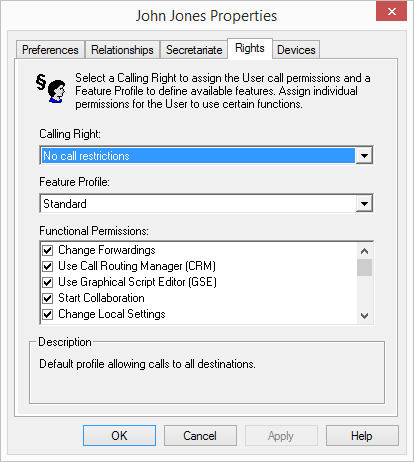
The user may be granted rights to use additional Swyx features. To change the feature profile, select another profile from the selection list or create a new feature profile.