24.7 Fax Channels
Fax channels are created and configured in the Swyx Administration. You can create the channels individually or several together and afterwards change the corresponding properties.
Please remember that you can only create as many fax channels as are licensed in SwyxServer (fax channel = voice channel + fax channel license). The fax channel license is simply the expansion of an existing voice channel into a fax channel, and does not offer a license for an independent additional channel.
Updating
To update the view of the faxes in SwyxFax Administration, please select "Refresh" in the context menu.
Parameters of the list "Fax Channels"
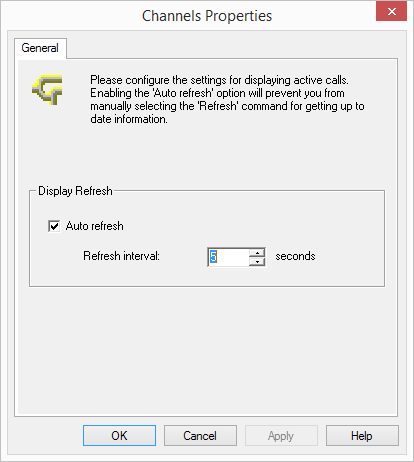
You can adapt the refresh interval for the list display here to suit your needs.
Add
Launch Swyx Administration and enter all license keys for the fax channels in " SwyxServer "; see 24.3 Licenses. Then add the appropriate number of fax channels. A fax channel wizard will appear which will help you to install the fax channels, and which will prompt you to enter parameters, such as the fax station ID. After you have made all settings, all fax channels appear in the "Channels" list.
This is how you create a new fax channel
Remove
If you would like to remove a fax channel, highlight the corresponding fax channel in the "Channels" window and select "Remove" in the context menu. The highlighted channel will be removed from the list.