12.2.6 The "Properties…" Dialog
The "Voice Box" Tab
The "Voice Box" Tab
A separate Voice Box (answering machine) can be configured for each group.
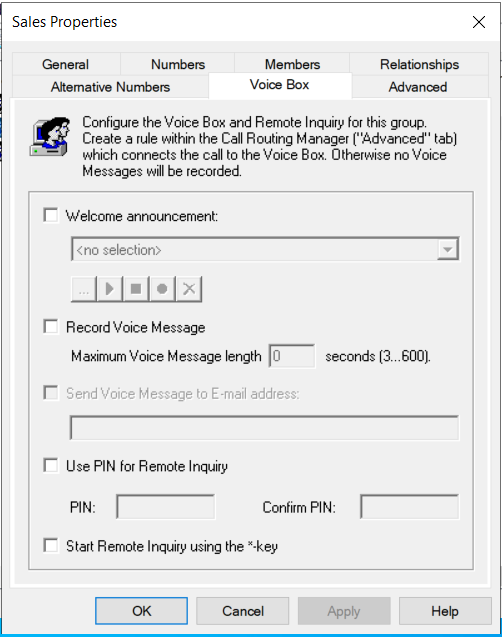
Just as with a user, a standard greeting can be played or an individual greeting can be recorded, which is then played as soon as a call is transferred to the Voice Box. The maximum length of the voice message in seconds and the e-mail address(es) to which the recorded voice message should go can also be specified.
If the * key is also to be used to retrieve the group voice announcements via remote inquiry, the function can be activated here. However, this requires a PIN configuration. When a user calls the Swyx group number, they identify themselves to Swyx using their PIN and can then listen to the new voice messages first, followed by all existing voice messages for the group; they can replay them and delete them if necessary.
In order for voice messages to be recorded, you must create a rule in the Call Routing Manager (Advanced tab) that routes the call to the Voice Box. See Call Routing