7.5.6 The "Standby SwyxServer" Tab
Starting with Swyx 13, the standby feature is not available.
Enreach will be happy to assist you in selecting a suitable high-availability solution, see App. L: High-Availability Solution for Swyx
Enreach will be happy to assist you in selecting a suitable high-availability solution, see App. L: High-Availability Solution for Swyx
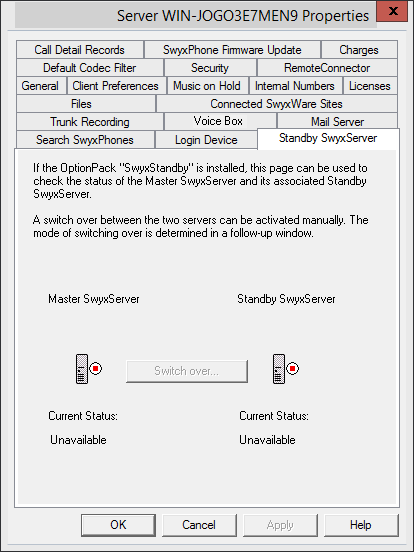
Here, the Administrator can see which SwyxServer is active (green) and which is passive (red). On the master system you can switch manually between the active and passive system using "Switch over...". Manual switchover is not possible on the standby server.
It is recommended that you always make configuration changes on the active system using Swyx Administration.
How to change server state manually (active/passive)
You can only change the state of the server from the master system, on a standby system a switchover isn't possible.