7.8 Active Calls
In this directory, you can see which connections are active at the moment.
The following detail information can be displayed for every single connection:
 Origination NumberOrigination NameCalled NumberCalled NameDestination NumberDestination NameStatusStart TimeDurationChargesProjectStart Trunk, (Trunk over which the call comes in)Destination Trunk (Trunk over which the call leaves the server)
In the context menu of "Active Calls", choose "Properties".
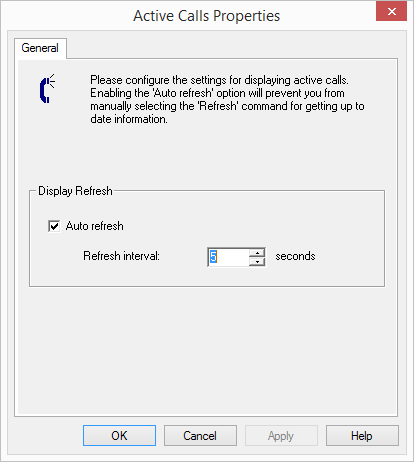
Here you can set the time interval (5 to 100 seconds) for the update of this information.
If the checkbox is not selected, the display will not be updated automatically. You can update the display using the context menu.
If there are connections active, then you can interrupt them by selecting "Delete" in the context menu. Before the connection is disconnected, you must confirm a security query.
In the Swyx Administration, under the "Active Calls" context menu, you will find the "Export List..." option. This allows a list of the current connections to be exported to a text file.