15.2.5 Insertion of the ISDN Card
The insertion of the ISDN cards is nearly identical and therefore they are explained together in this chapter.
After the card has been installed physically, it will automatically be recognized the next time the computer is booted and a request for the installation of the driver software will appear.
You may find more recent drivers for the ISDN cards in the download area of the homepage:
Do the necessary hardware configuration before the insertion. See 15 Preparation of the SX2 DualPRI .
It is absolutely necessary that you turn off the computer and remove the mains plug from the power supply whenever you are doing something which requires you to open the computer case!
Do not touch any of the electronic components of the computer card during the entire installation process. The electronic components of the computer card can be damaged by electrostatic discharges!
For safety reasons, it is necessary that you disconnect all connection cables from the telephone network before you open the computer case.
This is how you install the ISDN cards in your computer
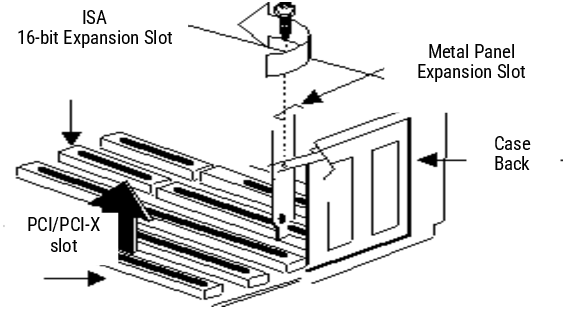
Fig. 15-5: Removing the Metal Panel
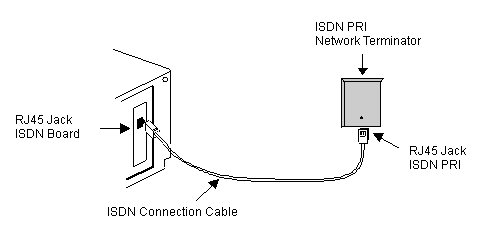
Fig. 15-6: Connecting the ISDN Cable