13.3.1 Searching for contacts
You can search by addresses, names and phone numbers. The search can also be performed during the phone call.
Only a limited number of search results can be displayed. Narrow your search, if the contact you are looking for has not been listed.
To search for contacts
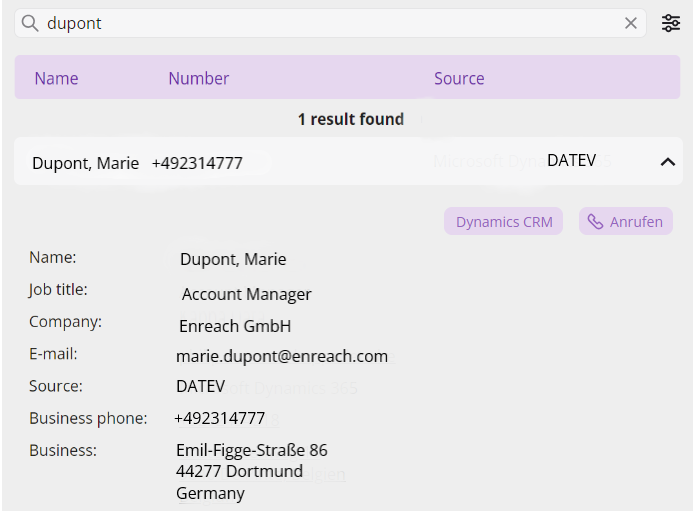
 The search results are displayed in the Contacts list: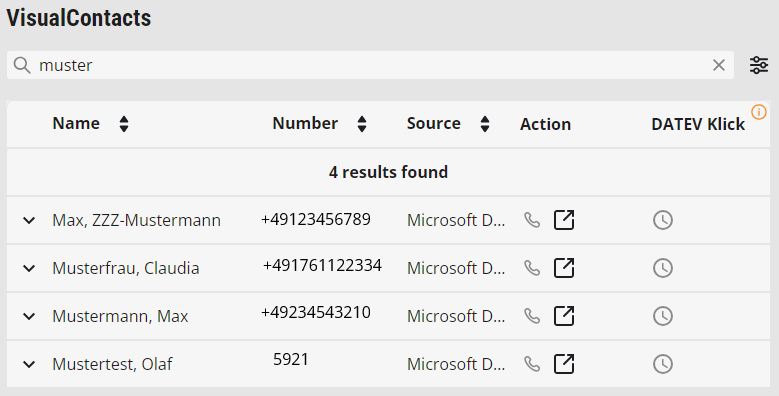
Sorting search results
You have the possibility to sort the search results in ascending or descending order according to the following categories: Name, Number, Company, Source.
Depending on the size of the window, a category may be hidden. This is indicated by the icon. Change the window size to display it.
Category | Explanation |
|---|---|
Name | Name displayed for the contact in the phonebook |
Phone number | Phone number of the contact |
Company | Name of the company entered for the contact in the database |
Source | Contact database in which the contact was found |
To sort the search results
The VisualContacts tab opens.The search starts automatically and the results are displayed in a list.The icon changes and the entries are sorted accordingly: : the entries are sorted in ascending order.: the entries are sorted in descending order.