Set your status
Your own status is displayed in the form of an icon at the bottom right of your profile picture.
The following status information is available:
 |
Available: This status indicates to other parties that you are available.
|
 |
Do Not disturb: This status signals to your contacts that you are not available. You do not want to be disturbed.
|
 |
Focused: This status signals to your contacts that you may not be available because you are currently focused on a topic.
|
 |
Invisible: With this option, your status is hidden from your conversation partners and is no longer visible.
|

If you are logged on to other clients in addition to Enreach Contact Desktop, all status updates made here are also displayed on these clients.
To set your status
 The status icon on your profile picture changes.
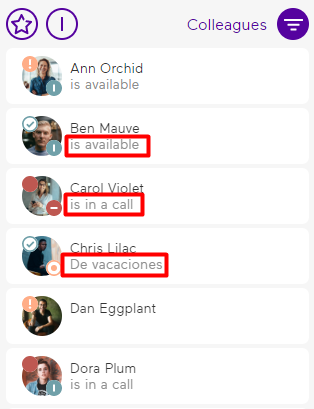
 The selected status is also displayed in text form under the name in the contact list if the contact has not set a personal status message and the BLF status shows available.