3.10.3 Defining the call dispatch
You can define if you want to be the first or last user in a queue to whom calls are forwarded or if you want to be displayed as an available user for the queue.
Example: As a team lead you only receive a call if no other user in the queue has answered it. As a receptionist you are the first user in the queue who receives a call before it is forwarded to other departments or supervisors.
If you have set call dispatch Not active your other criteria are deactivated.
The VisualGroups status bar in the client turns orange when you are inactive in a queue.
If the "Automatically remove agents from call distribution for missed calls" function is active for a queue, you may be automatically set to Not active and will no longer receive calls from the queue until you manually set your call dispatch here to active again.
How to define the call dispatch
 The list of your queues appears.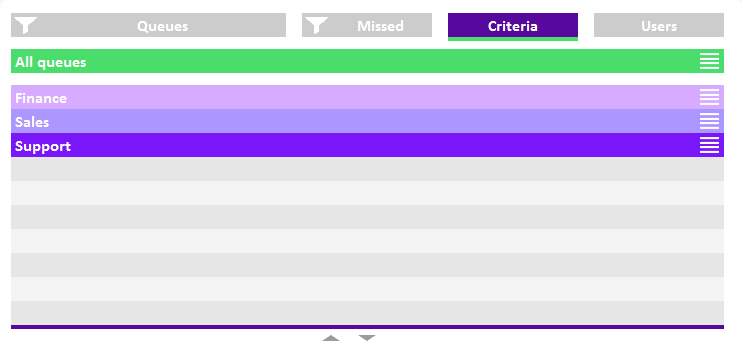
2 Click on the settings symbol  in the line of the appropriate queue.
in the line of the appropriate queue.Your criteria are displayed.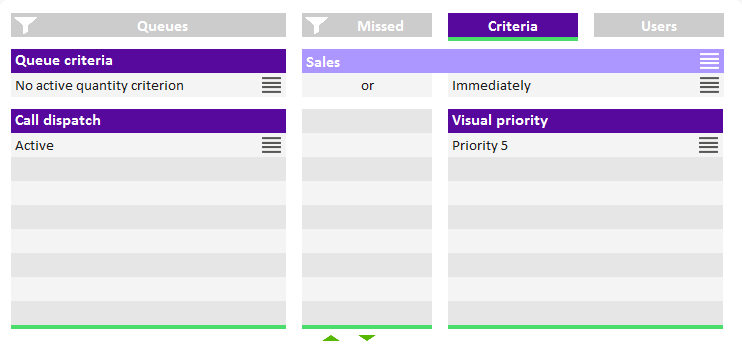
3 Click on the settings symbol in the Call dispatch line.
in the Call dispatch line. Active = The next queue call is forwarded to your internal number according to your other criteriaReceive calls first/last = You are the first or last user in the queue to whom calls are forwardedNot active = Calls are not automatically forwarded to your internal number
Examples for the combination of time and caller dependent criteria and call dispatch:
In general, queue calls are delivered according to the "longest inactive" principle, i.e. a queue call is forwarded to the internal number of the user who has had no forwarded call for the longest time.
Quantity criterion (Number of callers) | Time criterion Waiting time | Call distribution | Effect |
|---|---|---|---|
No active quantity criterion | Immediately | Active | Activated by default The next queue call is forwarded to your internal number without delay Available user in statistics and reports |
No active quantity criterion | Immediately | Receive calls first/last | The next queue call is forwarded to your internal number without delay You are the first or last user in the queue to whom calls are forwarded Available user in statistics and reports |
No active quantity criterion | 30 seconds | Active | The next queue call is forwarded to your internal number when the caller has already been waiting for 30 sec. Available user in statistics and reports |
At least 2 waiting | Immediately | Active | The next queue call is forwarded to your internal number Available user in statistics and reports |
At least 2 waiting | 30 seconds | Active | The next queue call is forwarded to your internal number when at least 2 callers are waiting or the caller has already been waiting for 30 sec. Available user in statistics and reports |
At least 3 waiting | 60 seconds | Receive calls first/last | The next queue call is forwarded to your internal number when at least 3 callers are waiting or the caller has already been waiting for 60 sec. You are the first or last user in the queue to whom calls are forwarded Available user in statistics and reports |
No active quantity criterion | No active time criterion | Active | Calls are not automatically forwarded to your internal number Available user in statistics and reports Users are displayed as Passive under the Users tab Calls are not forwarded to the number the administrator may have defined |
Any | Any | Not active | Calls are not automatically forwarded to your internal number Not an available user in statistics and reports If there is no other active user in the queue, calls are forwarded to a number the administrator may have defined. |