2.6.4.1 Situation
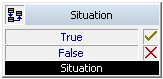
If a subscriber is called, the current situation of the subscriber called will be checked. This block allows you to ask about the situation and, based on this, you can make a decision, i.e. the call handling can be branched here.
Example:
You have entered "...if not logged on to SwyxServer" as a parameter. If you are then called and are not logged on, then the branch of the script, which is connected to the output "True", will be processed. Otherwise, the branch "False" will be processed.
Under "Properties", all three tabs "General", "Parameters" and "Connections" tabs are available for this block.
This is how you define the parameters for "Situation"
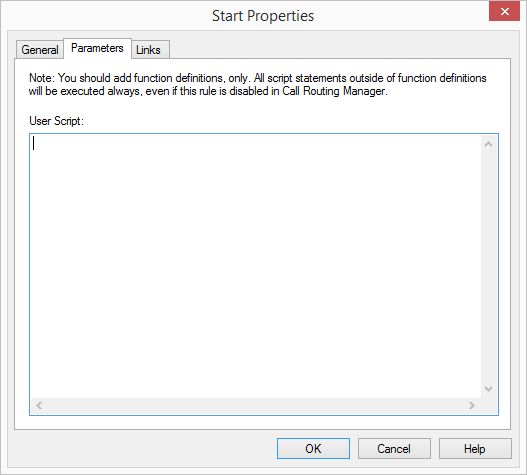
 All situationsThe subscriber's line is free and the subscriber is logged on to SwyxServer, i.e. he could take the incoming call. This is also the case if the subscriber is currently making a call, but other lines are still free and the option "Disable secondary call" has not been activated.The line is busy, which means that the subscriber is currently making a call and all lines are busy or the option "Disable secondary call" is activated.The subscriber has set his status to "Away".The subscriber has set his status to "Do not disturb" .The subscriber is "absent" according to the calendar.The subscriber is "busy" according to the calendar.The subscriber is not logged on to the SwyxServer.
Please note that the "absent" and "booked" information according to the calendar is only updated by Microsoft 365 (Exchange Online) or by Outlook to the Exchange Server at certain intervals. It is only available for rule processing after the update has taken place. These settings can be changed in Outlook under "Tools | Options | Settings | Calendar options... | Free/Busy Options" Remember that a very small value will lead to network overload.
A calendar query is also possible with Lotus/IBM/HCL Notes. The prerequisite is the installation of the Lotus/IBM/HCL Notes SDK. In contrast to Microsoft Outlook, Lotus/IBM/HCL Notes does not allow qualification with regard to local appointments and absences. The "Freetime" query interprets all-day events as "absent" and all other appointments will be treated as "busy" (Knowledgebase-article 2757).
The rules do not need to be adjusted when switching from Microsoft Exchange to IBM Domino/Notes or vice versa.
.
The information concerning whether a user is "absent" or "busy" is only required when the Exchange Server starts the first call handling. If this query appears several times during call handling, the value of the first query will be applied again.
Links
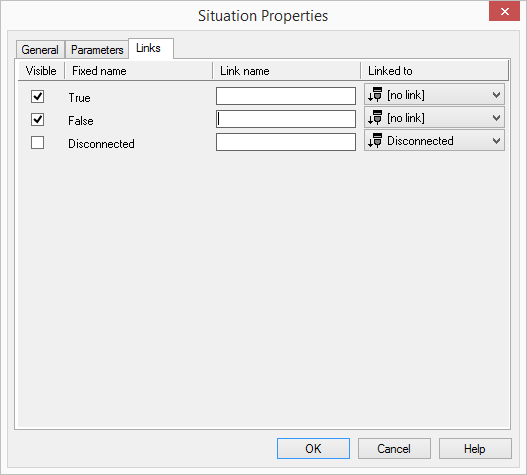
On this tab you will find all outputs associated with this block. The outputs are described as follows:
Output | Explanation |
|---|---|
True | This exit is chosen if the call matches a situation defined on the "Parameters" tab. |
False | This exit is chosen if the call matches a situation defined on the "Parameters" tab. |
Disconnected | This exit is selected if the call is disconnected. |
In the first column "Visible", you can define whether each output should be shown in the script window.
The "Visible" column is only used to define the visibility of the links in the script window. This setting helps to maintain the clarity of the script. You cannot remove outputs, i.e. the connections must be kept, otherwise an error will occur in the script.
The second column "Default" contains the default name of the output. This provides information about events during the execution of a block so that additional appropriate connections can be created. This fixed name cannot be changed. You can assign your own identifying names to the various contact surfaces in the column "Link name". This name will later appear in the block in the grid interface.
In the last column "Linked to" you see which block input this output is connected to. Here you have the option of selecting a link from a select list, which contains all available blocks.