2.6.4.3 Date/Time
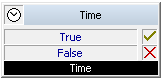
This block allows you to define the time conditions and to provide branches according to the fulfilment of these conditions.
Example:
If you select the parameter "Within a specified time period", you can define the date as well as the time of day in the next window. If a call is received during this specified period of time, then the output "true" will be selected, otherwise the output "False" will be chosen.
Under "Properties", all three tabs "General", "Parameters" and "Connections" tabs are available for this block.
This is how you define the parameters for Date/Time
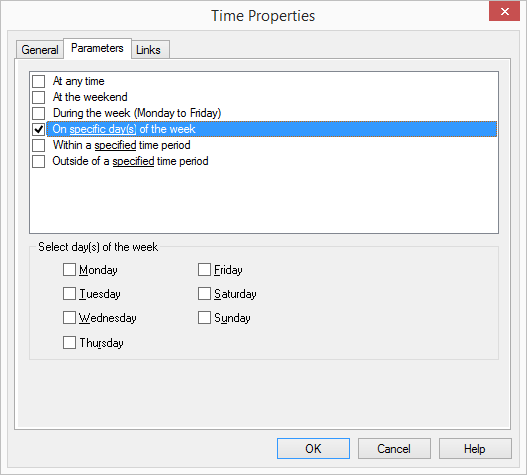
 At any timeOn weekendsDuring the week (Monday to Friday)On specific days of the weekWithin a specified time period andOutside a specified time period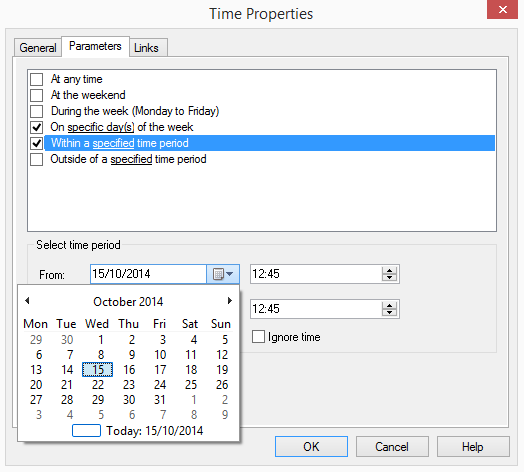
Links
This block provides the option of making a decision based on the time of the call. The outputs are described as follows:
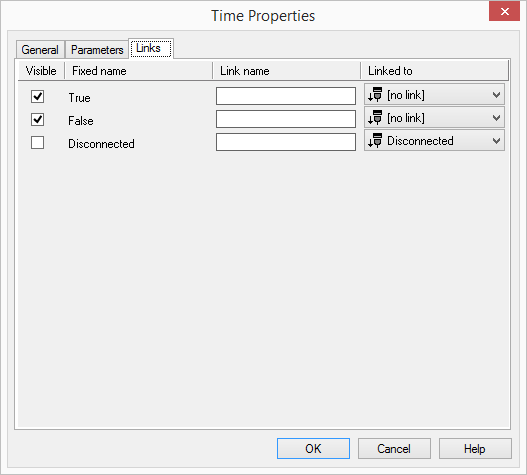
Output | Explanation |
|---|---|
True | This exit is chosen if the call fulfils one of the defined time conditions. |
False | This exit is chosen if the call fulfils one of the defined time conditions. |
Disconnected | This exit is selected if the call is disconnected. |
In the first column "Visible", you can define whether each output should be shown in the script window.
The "Visible" column is only used to define the visibility of the links in the script window. This setting helps to maintain the clarity of the script. You cannot remove outputs, i.e. the connections must be kept, otherwise an error will occur in the script.
The second column "Default" contains the default name of the output. This provides information about events during the execution of a block so that additional appropriate connections can be created. This fixed name cannot be changed. You can assign your own identifying names to the various contact surfaces in the column "Link name". This name will later appear in the block in the grid interface.
In the last column "Linked to" you see which block input this output is connected to. Here you have the option of selecting a link from a select list, which contains all available blocks.