7.7 Change log
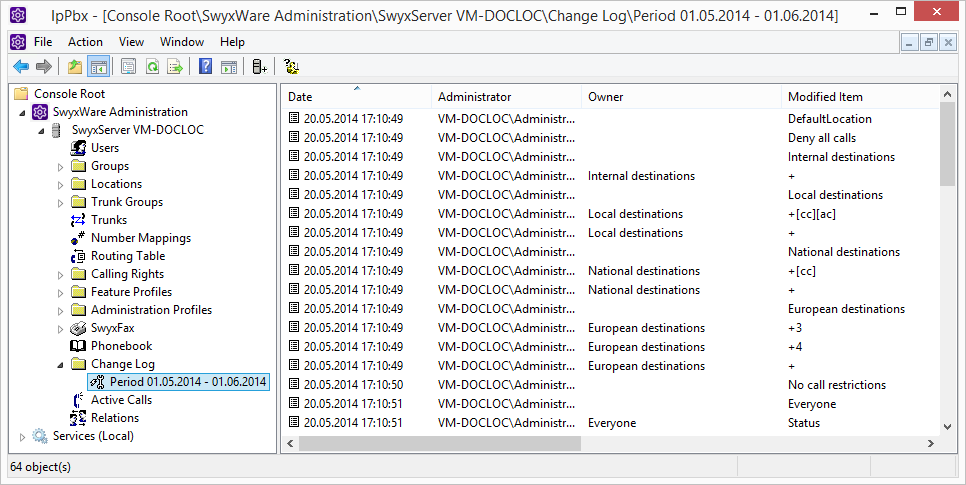
Changes that are made to the configuration of users or trunks, or to the feature profiles or the conference rooms, are logged and saved. This means that it is always possible to track which administrator made which changes.
When saving and processing personal data, observe the respective applicable legal data protection regulations.
In Swyx for Data Center and SwyxON, these changes may affect billing to customers.
The changes are stored in the database. In Swyx Administration, changes are grouped by time period in the "Change Log" directory.
In Swyx for Data Center and SwyxON, this period corresponds to the reporting period.
A maximum of the last twelve months (12 billing periods for Swyx for Data Center and SwyxON) are displayed.
The change log cannot be deleted automatically from the database. In order to meet the valid data protection regulations, it may be necessary to delete the entries manually, see Delete change log.
Who can view the change log?
The change log can only be viewed by administrators who have one of the following administrator profiles:
 System AdministratorBackoffice AdministratorReseller AdministratorCustomer Administrator
To view the list of change logs, please use the advanced view in Swyx Administration (View | Advanced).
Format of the entries
The following details are recorded for each change
Date of changeUser who made the change (Windows user or Swyx user)A configuration object (trunk, user, user group) that is affected by the change.Changed parameter (feature profile, user, voice or fax channel, conference)Type of changeChange property (if applicable)Original value (if available)New value (if available)Search in change log
You can search for entries in the displayed page (change log of a particular period).
How to search for an entry in the Change Log
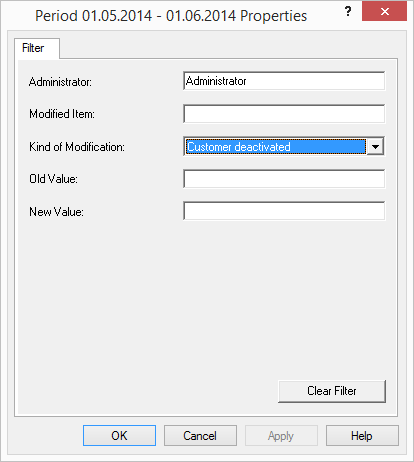
 AdministratorChanged parameterType of changeOld ValueNew Value
Export change log
The change log can be exported. Do this by selecting the entry "Export list..." in the context menu of the relevant period, and specifying a memory location. The file is saved, according to your specifications, as a tab- or comma-separated file.
Delete change log
A finalized period can be removed from the log.
To do so, highlight the desired time frame and select "delete" in the context menu.
Prior to deletion, a dialog window will appear recommending to back-up the corresponding period. As applicable, select the storage site and file name, then confirm by clicking on "OK."
The file is saved as a tab- or comma-separated file based on your specification. The period is removed from the change log.
It is only possible to delete periods with at least one recording.