9.4 CRM integration
With Enreach Contact Desktop you have the possibility to integrate your CRM system into your telephony system. This gives you immediate access to all data related to the customer. Enreach Contact Desktop offers integration for more than 100 CRM systems.

CRM integration is disabled by default. To use a CRM system with Enreach Contact Desktop, the administrator must order the service in Operator and set up the integration with a CRM system. The CRM add-on must be ordered for each user who is to use the CRM service. For more information about installing and configuring the CRM add-on, administrators can refer to the Enreach Contact Connect documentation.
If you have a CRM license and an integration is set up with a CRM system, then the integration is available in Enreach Contact Desktop for incoming calls, outgoing calls and the recent list.
The  icon on the profile picture of a call party shows that the phone number was found in the CRM system.
icon on the profile picture of a call party shows that the phone number was found in the CRM system.Incoming call
To access the caller's information from the CRM system
1 During an incoming call, click on the profile picture of your correspondent.
on the profile picture of your correspondent. A pop-up window opens with call options and information about your correspondent.
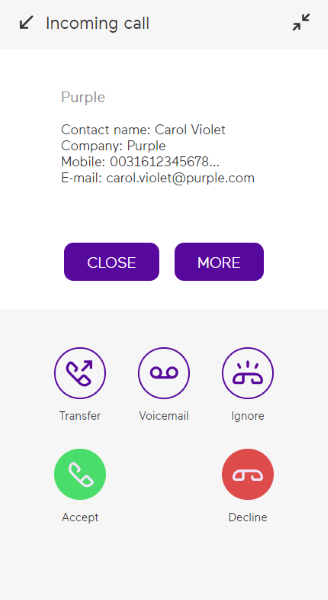 You will be redirected to your CRM system where you can view and manage the customer information.
Outgoing call
If you dial a phone number using the keypad (see To dial a phone number), CRM recognition takes place directly after you press Enter or click  . The name of the interlocutor is determined using the information from the CRM system.
. The name of the interlocutor is determined using the information from the CRM system. To access the information from the CRM system
1 During an outgoing call, click on the profile picture of your correspondent.
on the profile picture of your correspondent.A pop-up window opens with call options and information about your correspondent.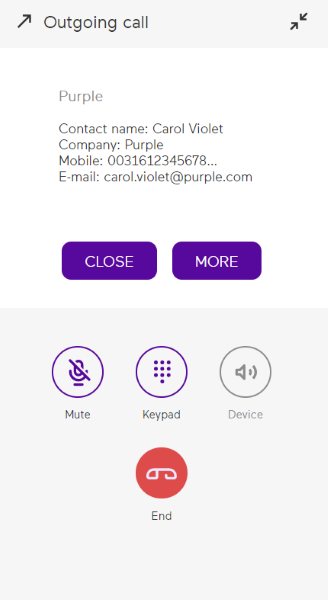 You will be redirected to your CRM system where you can view and manage the customer information.
Recent
With CRM integration, phone numbers can be automatically recognised during calls and directly matched with your contacts. All entries in the Recent list for which the contact's phone number was found in the CRM system are displayed with the contact name found in the CRM instead of the Caller ID.