5.5.1 Agents overview
The agent overview helps you to assess the workload and performance of the agents. Click on the Agents tab to display the overview.
By default, all agents assigned to the currently selected queues are displayed: In this case, the overview is titled Assigned agents.
You can display all agents, even those that are not assigned to a queue.
To do this, hold down the Ctrl key and click on the selected queue in the queue list until no entry is selected in this list. The title changes to All Agents.
To do this, hold down the Ctrl key and click on the selected queue in the queue list until no entry is selected in this list. The title changes to All Agents.
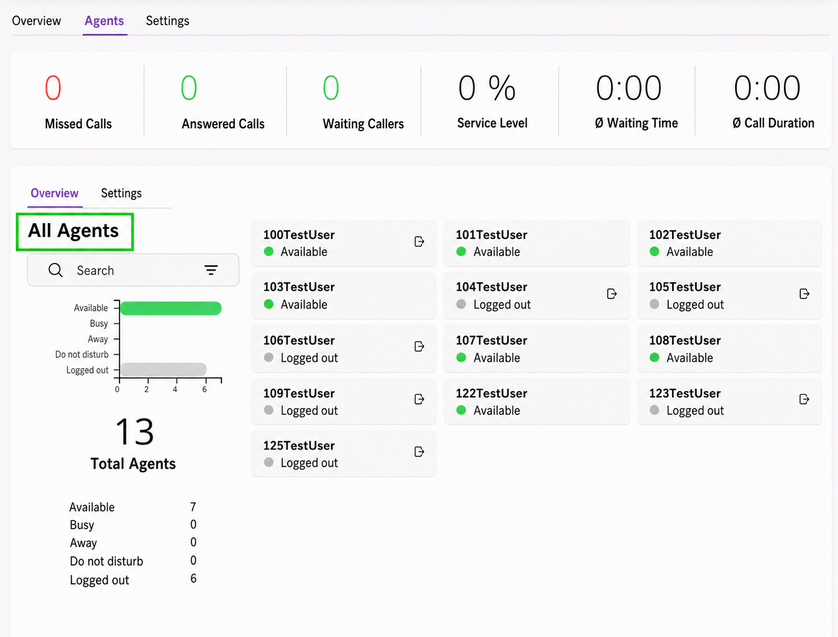
Fig. 5-1: All agents. No queue is selected.
You can use the search field to filter agents by name.
The bar chart shows the current telephony status of the agents. The green and red bars allow you to estimate the ratio between available and busy agents.
You can select a specific agent with one click.
The overview changes and only shows the data in the context of the selected agent.