10.2.6 Lines
This tab is used to configure your Lines. You can specify the following options:
 Number of linesLabeling of the line buttonsUse of a line for certain incoming calls only (e.g. only group calls or calls to a specific number)
This number is usually shown to the called subscriber, and can be used for invoicing. If you only have one number, this number will automatically be used for outgoing calls on this line.
Setting of the number that should be used for outgoing calls from a linePhone number suppression for outgoing calls for this lineDisabling of the line after a call for a certain time (5.1.7 Disabling Lines (Wrap-up Time)).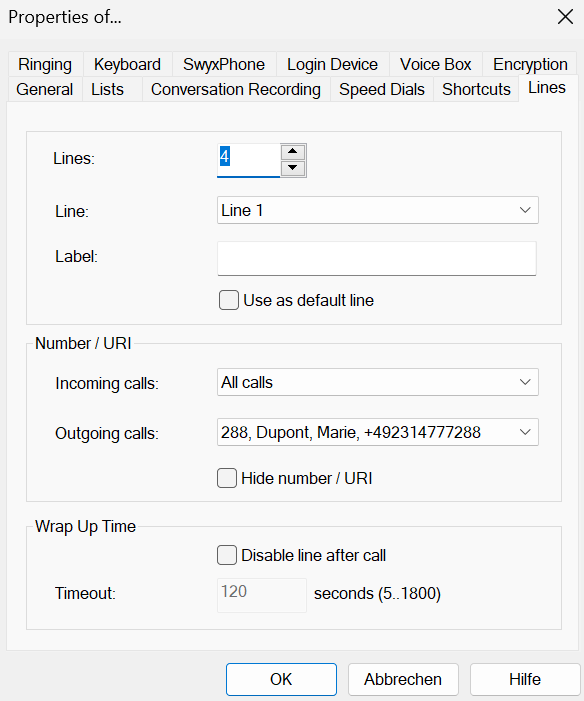
To set the number of line buttons
or
 The Properties of... window appears, which contains several tabs with settings.The number of line buttons is saved and displayed on the user interface.Scroll through the line buttons in the softphone area to view the line buttons that are not currently displayed.
To configure the properties of each line button, see To define the properties of a Line button.