9.3 Managing two active calls
If you add a call or receive another call during a call, you can switch between the two parties, or merge both calls into one.
To add a second call
1 During an active call, click  .
.
. A pop-up window opens with the following options:
 New callTransferConsult
3 Enter the phone number of the desired call partner via the keypad or by clicking on the number field and click on  .
.
.The active call is put on hold and you will be connected to the desired call partner.or
1 During an active call, click  to minimize the call.
to minimize the call.The call has been minimized but is still active, see also To put a call on hold.
Held or minimized calls are displayed at the bottom left of the navigation bar.
 You are connected to the subscriber and can have two active conversations.
To manage multiple parallel and minimized calls
You can switch between multiple active calls.
Held or minimized calls are displayed at the bottom left of the navigation bar.

2 Click  to access the call options.
to access the call options.The pop-up window with the call options appears.To merge two active calls
You can merge two active calls into a conference.
1 During an active call, click .
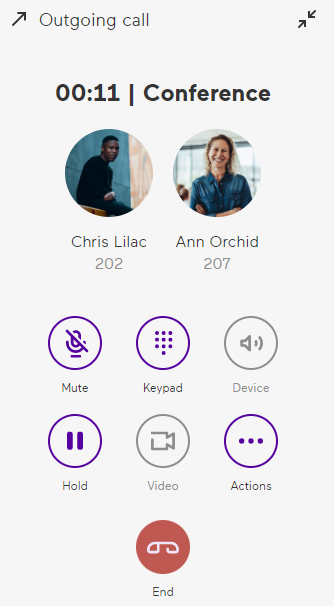
.A pop-up window opens with the following options:TransferMergeThe calls are merged and the word Conference appears next to the call duration above the names of the participants on the pop-up window.