3.3 User interface
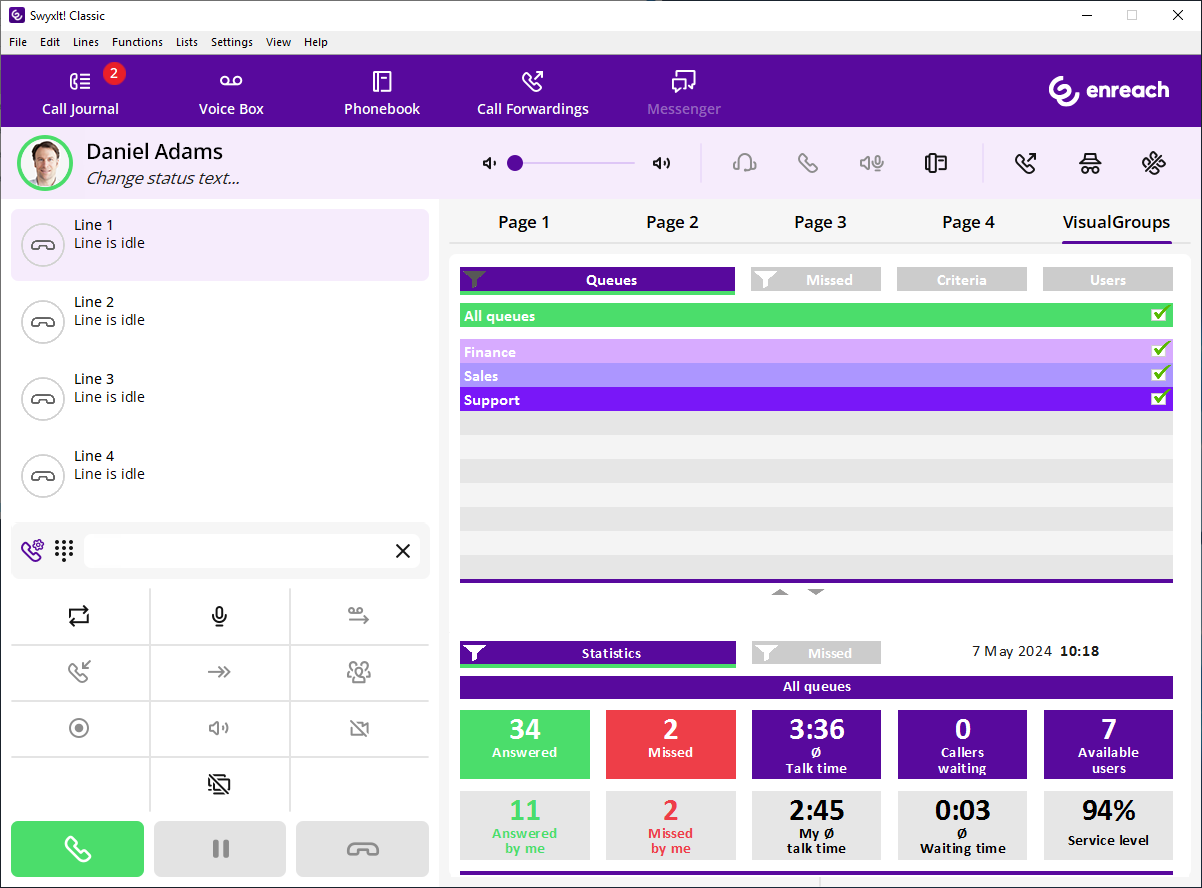
VisualGroups is displayed on the right next to the SwyxIt! or Netphone speed dials.
The "Queues" tab
On this tab the following information on calls in the selected queues is displayed:
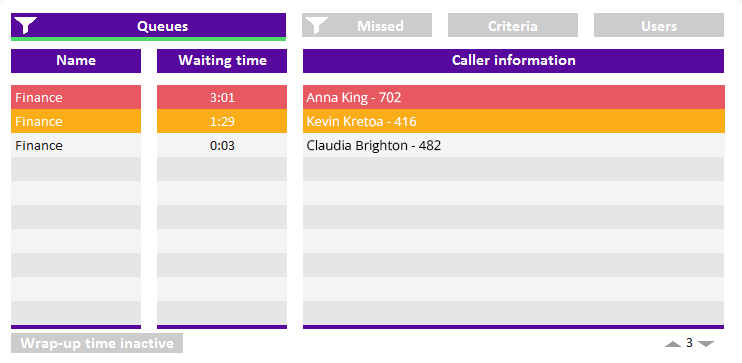
The bar under the tab is marked red when your SwyxIt! presence status is set to Away or Do Not Disturb.
 Name of the queue to which the call has been forwarded
For a better overview the queues have different colors.
waiting time the caller has already had so farName and number of the callerThe caller name is only displayed if the caller is a contact in your local phonebook.
An arrow between Name and Waiting time means that the call is forwarded to a user.
See also 3.4 Displaying or hiding queues.
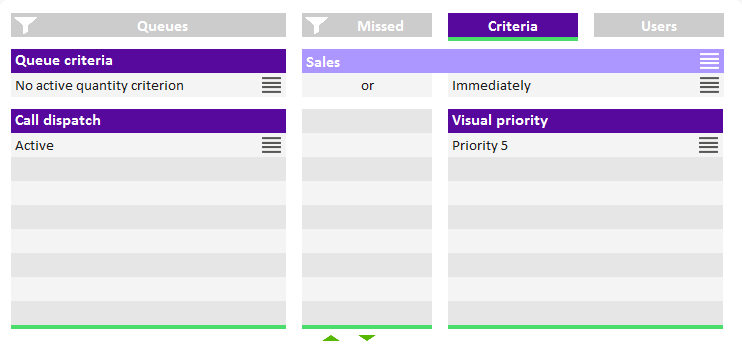
The "Criteria" tab
On this tab you can define if and, if applicable, how queue calls are automatically forwarded to your internal number.
The "Users" tab
On this tab the following information on other internal subscriber is displayed:
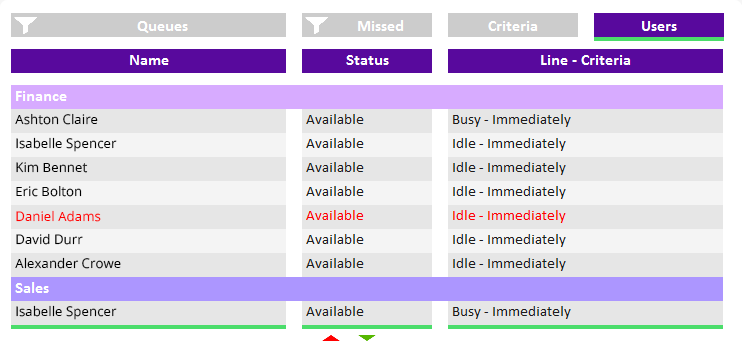 Report nameStatusLine state
 idle or busyCriteriaS> = Time criterion#> = Quantity criterionNot active = No "Available user" in statistics and reports, queue calls are not forwarded to the internal numberPassive = "Available user" in statistics and reports, queue calls are not forwarded to the internal number
The "Statistics" tab
On this tab the following information on the selected queues is displayed:
Statistics show information per day.
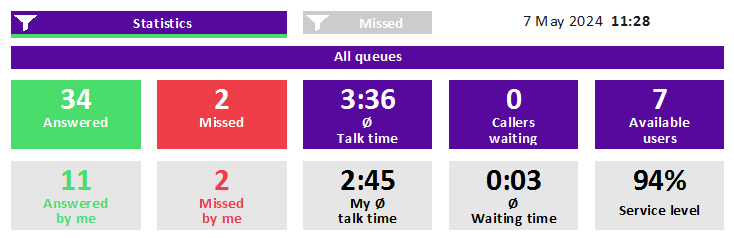 Answered calls of all users assigned to the queuesYour own/personal answered callsMissed calls of all users assigned to the queuesYour own/personal missed callsAverage talk time of all users assigned to the queuesYour own average talk timeCallers who are currently waitingAverage waiting time of all callers
A call counts as missed queue call if it could not be forwarded to a user in the queue. If a user has not deactivated automatic call delivery and does not answer a call, the call counts as a Missed by me call for this user.
Missed calls are not part of the calculation of the average waiting time.
Users with the Available statusService level (relation between answered and missed calls)The "Missed" tab
On this tab the following information on missed calls in the selected queues is displayed:
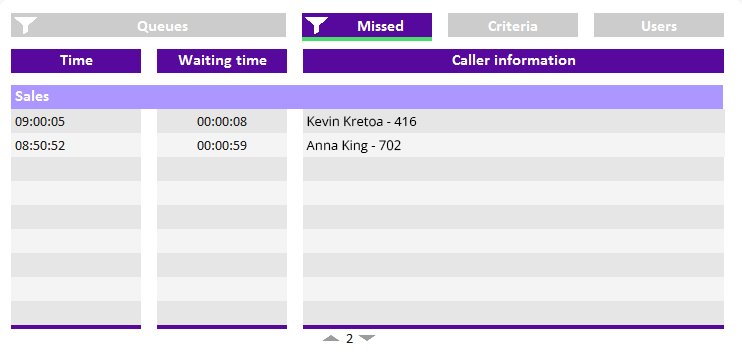 Time when the call has been cancelled, e.g. when the callers dropped the call.Waiting timeCaller name
The name is only displayed if the caller is a contact in your local phonebook.
Caller number, see also 3.11 Tracking missed calls.